enJOY it

an archived personal and craft blog from Elise Blaha Cripe.

  • …but I am very much looking forward to fall.

    Isn't it strange how we just adjust like that? Last spring I thought I would never make it through another cold season. And yet, on the brink, I am totally excited. It's like magic. Or adaptation. Or whatever it is that separates us from the animals. I doubt it will get seriously cold around here for a while, but September feels like the beginning of the beginning.

    And SEPTEMBER. You are going to be a busy 30 days. Paul takes off for eight weeks for a rotation in San Diego on Sunday and I am heading back to California for five. Besides crashing with the parents, I have a trip to LA scheduled to see my girls and a ticket to see my team play on our home turf. I will also spend a week with Paul and try not to fall more in love with the city we are hoping to land in next May.

    Sept1

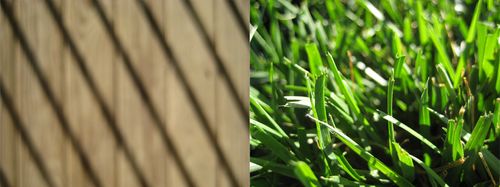
    Big goals for this month too : mail save the dates, build the e+p wedding website, make some progress on the minibook catalog, sew pillows, figure out the gocco, complete the fun workshop and take not one, but two photos each day. My daily photo plan fell off during the month of August, mostly because I got lazy and I lost the inspiration for taking a photo. So for the month of September I am going to try to take a diptych. Something to stretch my creativity and more importantly document this crazy month and exciting change in season.

    Happy September.

  • 831promon

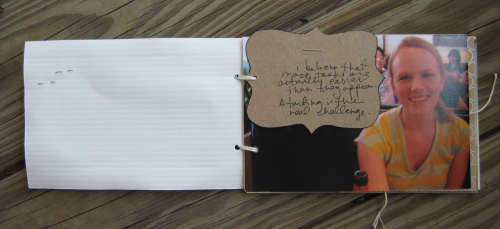
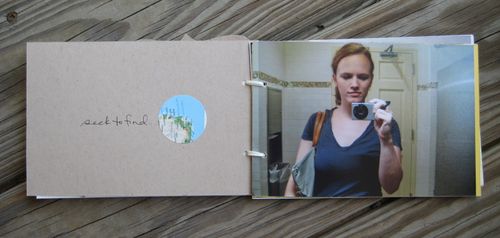
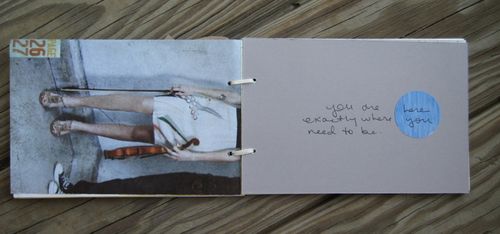
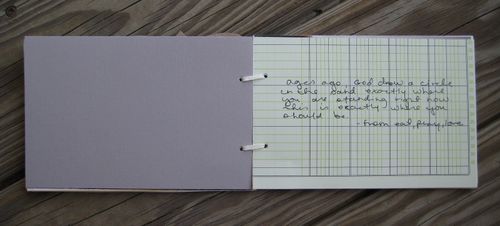
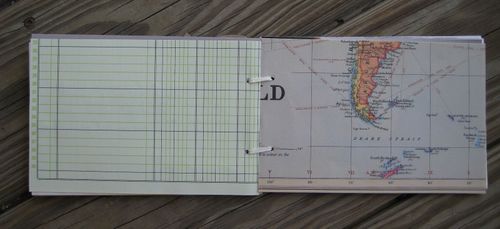
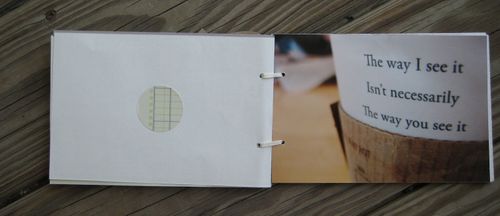
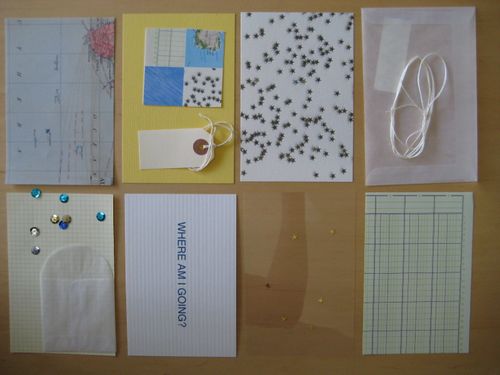
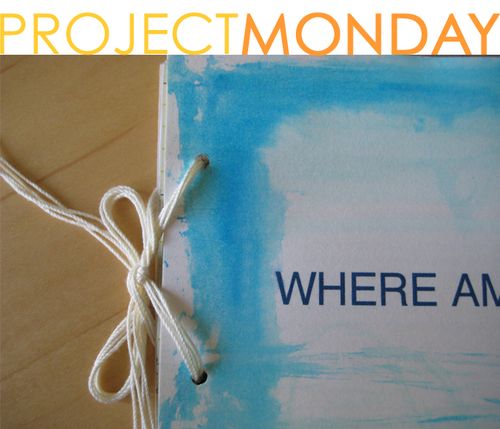
    Where am I going? A little art book of photos and patterns.

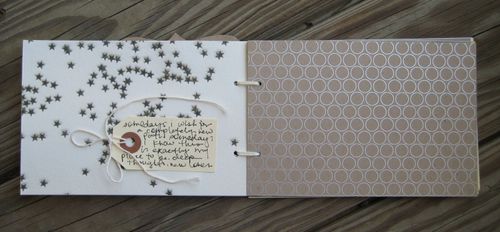
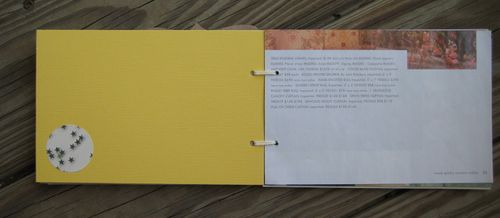
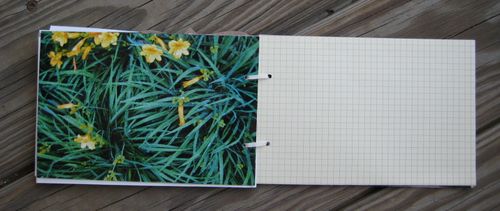
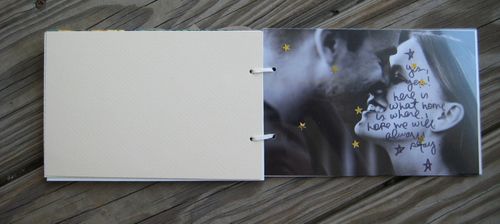
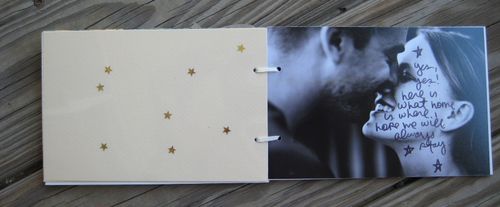
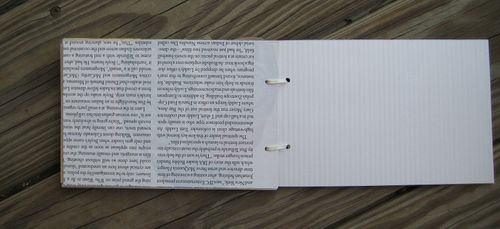
    IMG_2631IMG_2632IMG_2633IMG_2634IMG_2635IMG_2636IMG_2637IMG_2638IMG_2639IMG_2640IMG_2641IMG_2642IMG_2643IMG_2644IMG_2645 The colors in this simple book are favorites right now. Creams, blues, greens, and yellows. Not exactly fall colors but fun none the less. Pieces of this book are going to be available in a kit for Wednesday's update. 

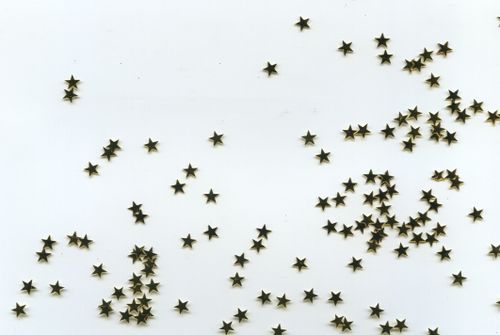
    IMG_2627 IMG_2629 It's hard to see in the photo, but I glued the little gold stars to clear transparencies. They look so cool as a page in a book and seem to float on the page before and after it. For this kit, I also printed original stickers. It was A LABOR OF LOVE to get them to come out right, but I triumphed over technology and they turned out. I am pretty excited about them. I hope you like them too.

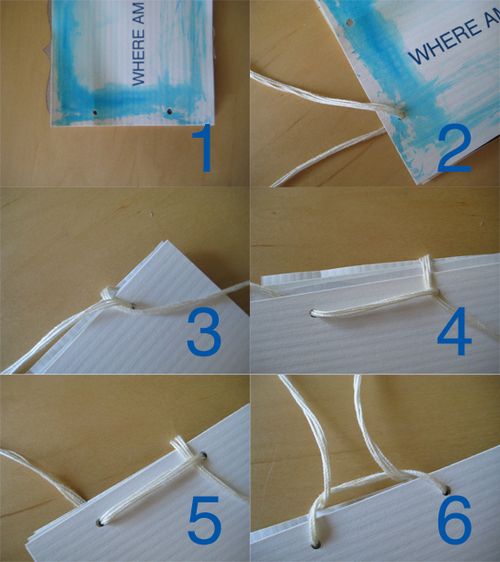
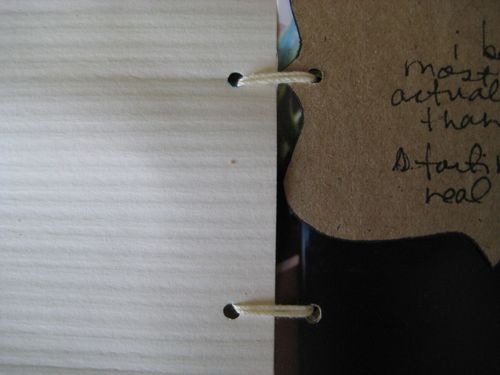
    And last, I wanted to share how I bound this book using a few pieces of string. It's hard to type the directions but hopefully the photos will explain it :

    Promon831 

    1. Punch two holes in the side of your book through each page.
    2. Thread your string through one hole of each page.
    3. Cross the ribbon over itself on the backside of the book.
    4. Thread the string through towards the front.
    5. Pull tight.
    6. Bring the end of the string back under the strip of string on the back.

    IMG_2621 To finish, twist the string around itself a bit and then tie a bow or knot. I had tape on the end of mine to make it easier to thread through. You will want to keep it pretty lose so there is some space for the pages to turn.

    IMG_2624 

  • IMG_2608 Yesterday got stranger and stranger. My tiredness turned into dizziness which resulted in an email to Paul listing my symptoms. He was at the hospital but made time to call and check in. "How's your pulse?" he asked. "Uhhh, there?" Quite obviously, he was relieved.

    Lots of water and bad television and I started to feel better again. Whew.

    AND THEN my day went from blah to best when I got an email that the Paper Source I work at is selling their (used) Gocco Machines. If you don't know what Gocco is, read here. To see what Gocco can do, look here. Gocco machines are usually about $400 (Georgetown is selling them for $100 if there are any left) but are no longer being produced so they, like dinosaurs, are impossible to find. I had to scoop one up. Especially because I am backing away from letterpress until I can find my own press. So that victory made me dizzy but it a much more excited and frantic way.

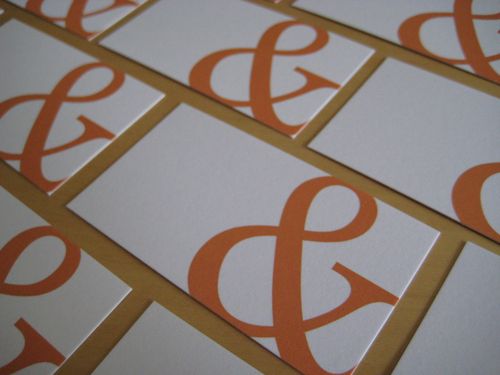
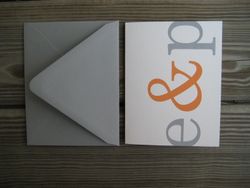
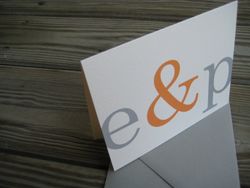
    And yep, my ampersand cards arrived. I will be quite surprised if any last long enough to use for the wedding. I like this little size for writing notes like "Babe! Not dizzy NEmore! Also, buy milk!"

    SO TODAY, I am not tired, NOR dizzy. I will not turn on the television. I will use up the remaining five hours I have on Pandora this month. I will make some finishing touches on the first week of the workshop (starts Monday!). I will finish up some pieces for the update next week. I will be productive and enjoy this day.

  • Digitalcollage I got a late start this morning. My alarm went off and instead of getting up and getting started I turned it off and slept another hour. Everything feels different. A bit like daylight savings. I will probably be back later with more to say.

  • Wedwed

    IMG_2541 IMG_2542 I still have a dream of using good vintage looking Bora Bora postcards for our wedding thank you notes. But in the meantime, I made up some folded notes with WHAT ELSE? "e&p" printed on them. Fun Fact : after the wedding we are BOTH changing our names to "e&p". Not really, but you would think so. We have been debating the pros and cons of naming our children "Orange" & "Gray" though.

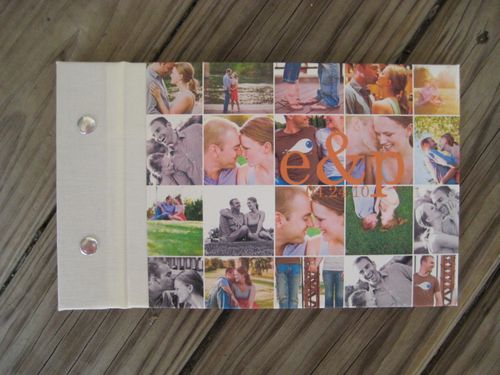
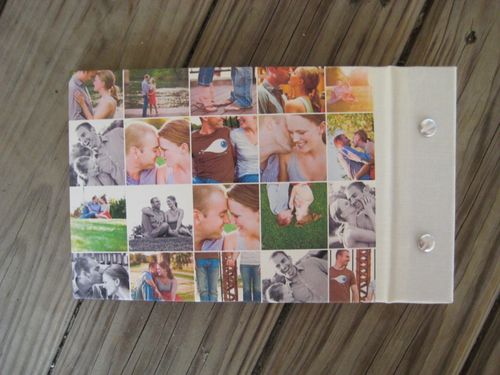
    IMG_2551IMG_2555 My guest book plan came together last week. (Have I mentioned that if we have a third child he will be named "Photo Mosaic"?) Except that when I bought the materials I got white pages instead of cream. Oh, the horror. So I will be changing those, but you get the general idea. There will still be little gray envelopes. And like a crazy person, I ordered little business cards with an orange ampersand on them. I figured they would be cute in the envelopes and could also make fun seating cards.

    I bought a domain name and have the basic framework built for our wedding website but am drawing a blank on all the necessary text. I have to get it together because all 107 save the dates have the wedding website printed on them. I suppose I could just put up a page that says "PSYCH!" but that would be awkward.

    Still excited to marry Paul. You could even say I love him more and more each day. Awww.

    Happy Wednesday.

  • There is so much information out there about how to make really stunning digital scrapbook pages. I know how to do about 2% of it. However, by request, I am going to share a few of my tips for making a book like my engagement book.

    First things first. You have to pick a page size. Do not pick a random size because you will never find an album to house it in. Find an album and calculate what size pages you will need to fill it.
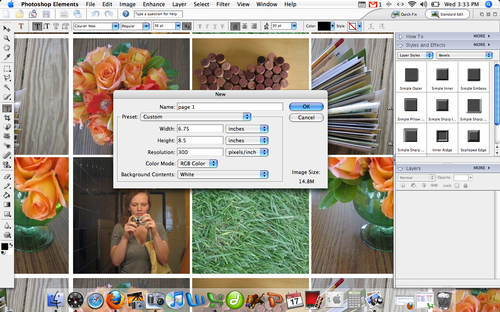
    Picture 1 I use Photoshop Elements 4. It's not the best, but it's what I have. Above you can see I am making a canvas to build the page on. Make your resolution 300dpi.
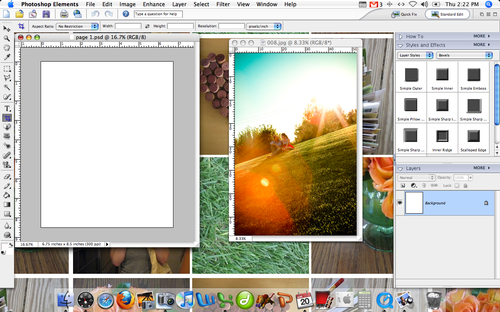
    Picture 2 TA-DA. Page 1. I also opened up a photo. Nothing special, just click the yellow file folder and select your photo.
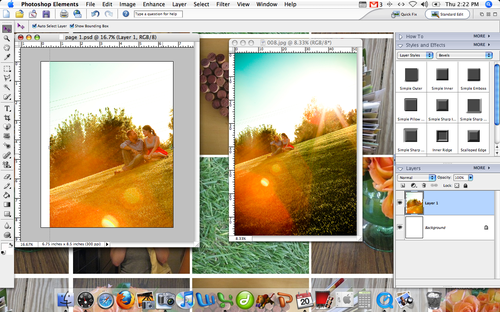
    Picture 3 Drag the photo on to the page. Your photo will probably be much larger than the canvas size. If it is not, this means your photo was taken on a low resolution. It might help if you start over with a canvas of 180dpi, but keep in mind that the print quality will not be as great.
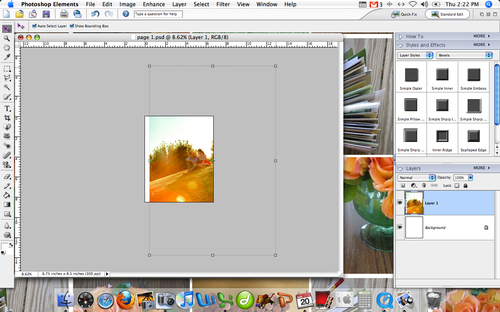
    Picture 4 Here is what my photo looks like on the page. Much to big. While holding down the shift key, you can drag the photo in on the corner. This will keep the same proportions but make your photo smaller.
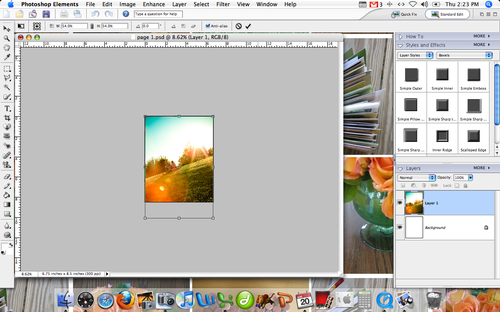
    Picture 5 Here is my photo covering the whole canvas. For some pages I kept the photos large like this.
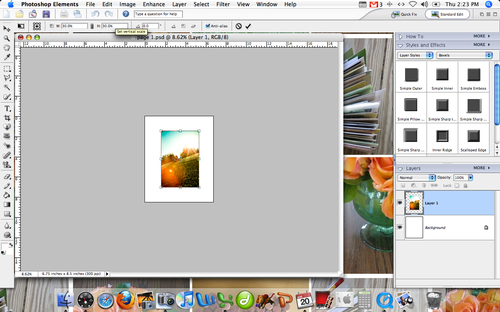
    Picture 6 For others, I reduced the photo size to 30% and centered it on the blank canvas.
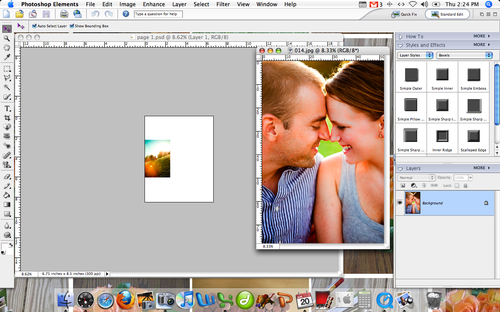
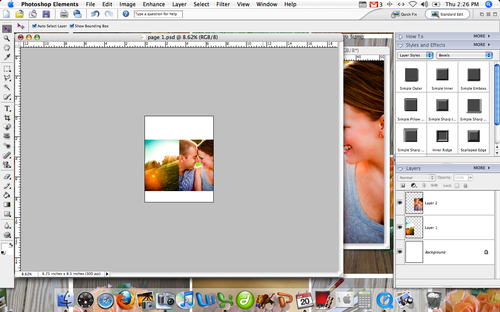
    Picture 7 When I wanted to add a second image, I made the first photo even smaller and then opened up a second photo.
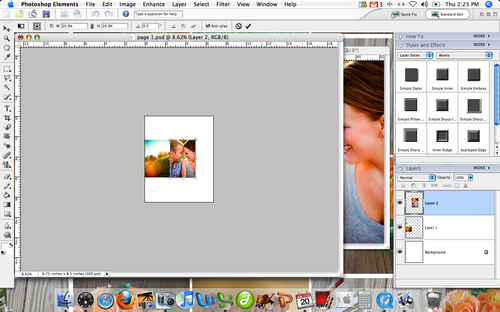
    Picture 9 The same dragging and resizing gets two on the page.
    Picture 10 

    By holding down the command key and clicking in the right box on each of the photos shows both photos (called Layers 1 and Layer 2) you can select them both at the same time. This will allow you to make them bigger or smaller by the same ratio. Great trick.

    The best part about a digital book like this is you can really play around until you get it right. There is no gluing. I saved each page as a .psd file which allowed me to go back and play with them over and over. I also opened up the page spreads next to each other to be sure everything "lined up" before printing.

    QUICK TIPS :

    • Take it a page at a time. If you start to think about getting 70+ photos into a book, you'll get overwhelmed.
    • Pick one font and just a few text colors and stick to them.
    • Reuse the same formats. Changing up the way the photos are displayed on every spread is difficult and overwhelming for the person viewing the book.
    • There are only so many ways that a horizontal photo or a vertical photo can fit on a vertical page. This is a good thing.
    • Group your photos. If you have two that look the same (same location, similar angle, close up/far away) either pick your favorite or use them together. 
    • Do not reinvent the wheel. If you have two pages that will look exactly the same except for text and photo, re-open the first one and just replace current image with a new one. Be sure to save it as a different page.
    • Simple means simple. Resist the urge to add more.
  • IMG_2548

    Today is the first day of school for so many people. I'm a little bit envious. So much excitement. Clean notebooks. Favorite outfit. The only day of the year when you are not tired when the alarm goes off and instead jump out of bed to start making your hair look right. The day when you really only want toast for breakfast to settle your stomach. You actually enjoy packing your lunch. You walk into every class hopeful about who might be there. You listen to the teacher and decide if this is going to be a class that requires a lot of meaningful effort or if this will be one that you just get to skate by in. Your homework is to read chapter one and write an essay about who you are in less than 200 words (or maybe now its 140 characters.) You carefully add it into your planner.

    Day one feels so clean and new. As if anything can and will happen.

    What if today was day one? For you, not just your kids or your younger brother who is starting his senior year at USC (love you, Robbie. Hold on tight, it will fly.) How would having a clean state, fresh notebook, & high expectations change your Monday?

    My hair would look better right now, for one thing.

    ++

    Two more things :

    I typed up a small post with tips for creating a book like my digital engagement book. It can be found here.

    I went through my "box of inventory" yesterday and added just a few kits, some SALE letterpress cards, and a few prints that just needed to be re-listed to the shop.

    ++

    Have a good Monday.

  • There is so much information out there about how to make really stunning digital scrapbook pages. I know how to do about 2% of it. However, by request, I am going to share a few of my tips for making a book like my engagement book.

    First things first. You have to pick a page size. Do not pick a random size because you will never find an album to house it in. Find an album and calculate what size pages you will need to fill it.

    Picture 1 I use Photoshop Elements 4. It’s not the best, but it’s what I have. Above you can see I am making a canvas to build the page on. Make your resolution 300dpi.

    Picture 2 TA-DA. Page 1. I also opened up a photo. Nothing special, just click the yellow file folder and select your photo.

    Picture 3 Drag the photo on to the page. Your photo will probably be much larger than the canvas size. If it is not, this means your photo was taken on a low resolution. It might help if you start over with a canvas of 180dpi, but keep in mind that the print quality will not be as great.

    Picture 4 Here is what my photo looks like on the page. Much to big. While holding down the shift key, you can drag the photo in on the corner. This will keep the same proportions but make your photo smaller.

    Picture 5 Here is my photo covering the whole canvas. For some pages I kept the photos large like this.

    Picture 6 For others, I reduced the photo size to 30% and centered it on the blank canvas.

    Picture 7 When I wanted to add a second image, I made the first photo even smaller and then opened up a second photo.

    Picture 9 The same dragging and resizing gets two on the page.

    Picture 10 

    By holding down the command key and clicking in the right box on each of the photos shows both photos (called Layers 1 and Layer 2) you can select them both at the same time. This will allow you to make them bigger or smaller by the same ratio. Great trick.

    The best part about a digital book like this is you can really play around until you get it right. There is no gluing. I saved each page as a .psd file which allowed me to go back and play with them over and over. I also opened up the page spreads next to each other to be sure everything “lined up” before printing.

    QUICK TIPS :

    • Take it a page at a time. If you start to think about getting 70+ photos into a book, you’ll get overwhelmed.
    • Pick one font and just a few text colors and stick to them.
    • Reuse the same formats. Changing up the way the photos are displayed on every spread is difficult and overwhelming for the person viewing the book.
    • There are only so many ways that a horizontal photo or a vertical photo can fit on a vertical page. This is a good thing.
    • Group your photos. If you have two that look the same (same location, similar angle, close up/far away) either pick your favorite or use them together. 
    • Do not reinvent the wheel. If you have two pages that will look exactly the same except for text and photo, re-open the first one and just replace current image with a new one. Be sure to save it as a different page.
    • Simple means simple. Resist the urge to add more.
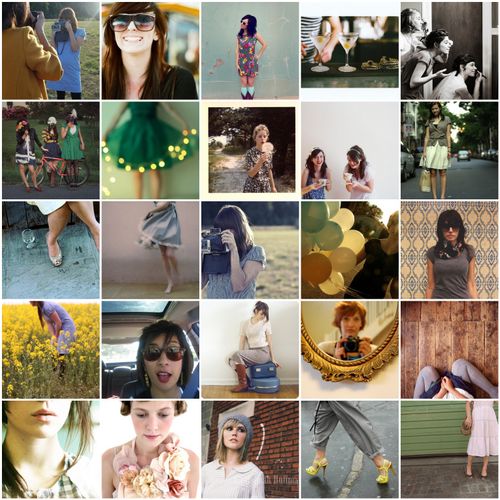
  • Cutegirls 1. Untitled, 2. Untitled, 3. XO., 4. Untitled, 5. RS :: Melissa and Jon, 6. , 7. green party, 8. Dandelions, 9. Something Sweet, 10. 16th Street!, 11. shoes, 12. wind, 13. Untitled, 14. Amy, 15. moi, 16. life in a hiding place, 17. 15 january 2009, 18. Coming soon to Half Caf, 19. alice, 20. interested., 21. cake, 22. Untitled, 23. ellybeth.8, 24. YSLTributeSandal, 25. Dennis took a photo of me

    Some of my favorite "girl" photos from my flickr faves. I love seeing them together.

    Mosaic made using big labs mosaic maker.