enJOY it

an archived personal and craft blog from Elise Blaha Cripe.

  • Wedwed10709 Our reception is taking place in a ballroom terrace of a hotel in downtown Sacramento. It's a pretty lovely place that needs very little by way of decorations. We will be using their (probably white or cream) linens, plates and etc. I will be making flower centerpieces, place cards and table numbers, but that's it.

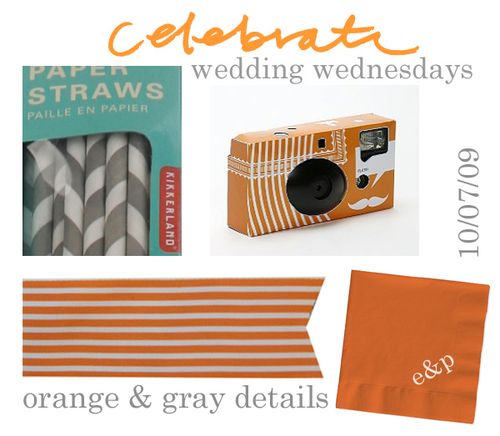
    But I am excited to find small ways to bring some orange and gray into the reception.

    These gray and white paper straws have been making the rounds on the blogs and I just love them. We are having a cocktail hour before dinner and they would be perfect for the bartenders to stick into glasses. (I may cut them in half to better fit tumblers.)

    I did not think I would be the disposable cameras on tables kind of bride, but when Elsie shared these ones from Urban Outfitters, I sort of changed my mind. Built into the camera words, images and frames so when they get developed the photo has designs printed right on it. Too cool. And obviously the orange color is a big part of the attraction. Did you have disposable cameras at your wedding? How were the photos? Worth it?

    Cocktail napkins feel like a good way to bring in some color. I am NOT going to have them custom printed but figure instead I'll stamp "e&p" on them in white ink (as long as it doesn't smear…).

    And my orange and white striped May Arts ribbon. It's probably my favorite thing and it was the hardest to track down. (It's 1.5 inches wide but I can't find it anywhere online now…) I have about 30 yards of it. This ribbon will be wrapped around the stems of all the bouquets and I hope to bring it into the reception as well. If there's enough ribbon, people might just forget there is supposed to be a cake…

    Happy Wednesday.

  • Sale
    I am going to be adding sale prices to many items in my shop this afternoon. Items will be taken down around 12:40 in order to make price changes and will then go live at 1pm PST. I will be renewing listings as appropriate so keep an eye out if your item disappears.

    Thanks for your support. Happy FALL SALE!

  • Tutorial

    Textexamples
    I often get asked how I get my own handwriting onto my photos / business cards / save the dates. This is a step-by-step tutorial of how it gets done. (Disclaimer : I know there are probably a lot of ways to make this work and some of them are probably much more efficient, but this quick and dirty way works for me…and I hope it helps you.)

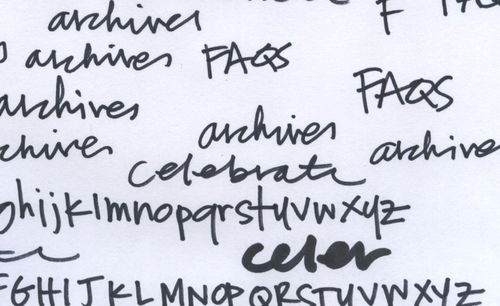
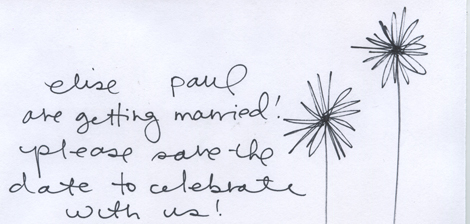
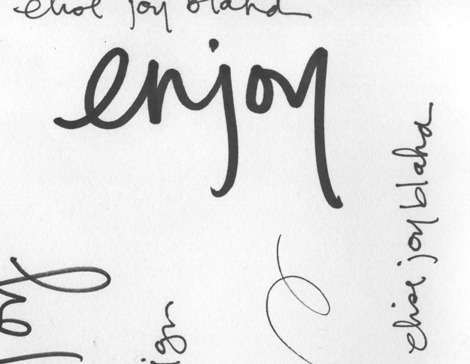
    First things first, write out your text or draw your image with a black pen on white paper. I use American Crafts slickwriters. It shouldn't matter what you use as long as it is not too thin. After you have everything on paper, use a scanner to scan the page into your computer. Go with a high resolution (how high will depend on the project. For simple graphics to use online, about 300 dpi will work. If you are going to incorporate your text into a invitation or printed piece, scan your handwriting in at 1200 dpi.) Below are a few sections of my scanned pages.
    Scan1
    Scan2
    Scan3

    I often write my text multiple times on the paper so I am sure there is a sample I like. Items that are connected on paper will be selected at the same time which means cursive writing will transfer faster than block printing. Be sure that the scanned images are only touching if you want them to be in your final product. There is no need to write your words in the correct order. If you have multiple projects, put them all on the same paper so you only have to scan once.
    Picture 1
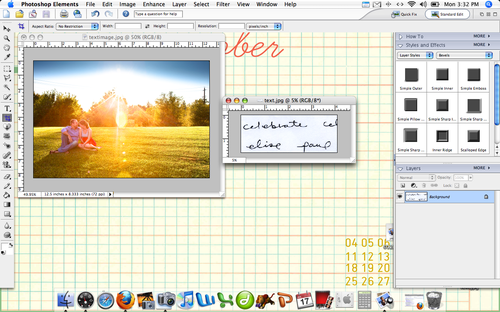
    Once you have your scanned images, open PSE or Photoshop (I am using PSE 4 on a MacBook). Open your scanned page as well as the photo or image you will be adding the text to. (Image I am working with is one of our engagement photos taken by Lisa Welge & the background desktop you can see is from oh, hello friend.) In this tutorial, you can click on all screen shots to see them larger.

    Picture 3
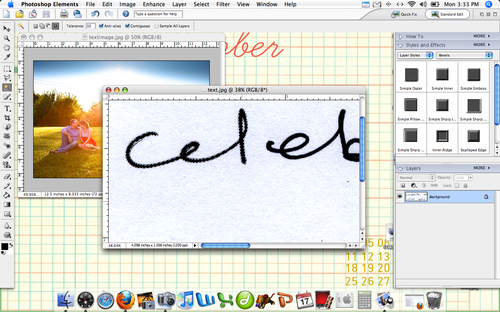
    Ignore the photo for the moment and concentrate on your scanned text. Zoom in so you can really see scan. From the left side, select the magic wand tool. At the top, there are 4 options for what the wand tool should do. Select the last option.
    Picture 4
    Hover the magic wand tool over the black part of your text and click. Dotted moving lines should appear around your text. The tool will only select the letters that are connected to each other. (IE : the "cel" not "ebrate")
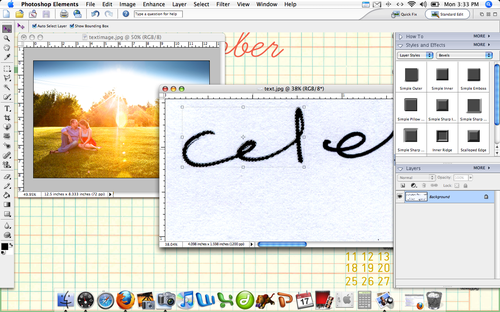
    Picture 5 From the left sidebar, select the arrow key and click on your dotted line text. A box should appear around the selection.
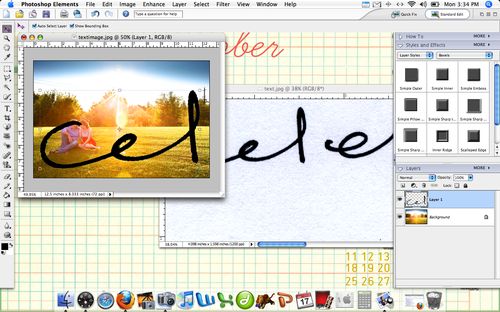
    Picture 6
    With the arrow still selected, click the text and drag it on to the photo that you have already opened in PSE. Your text should appear in black over the photo. Because the resolution of my photo and the scanned image are different, the text appears very large on the photo. This is good. I can make the text smaller, but it is hard to make it look bigger without becoming to digitized. If you text is too small for your project, rescan it at a higher resolution.
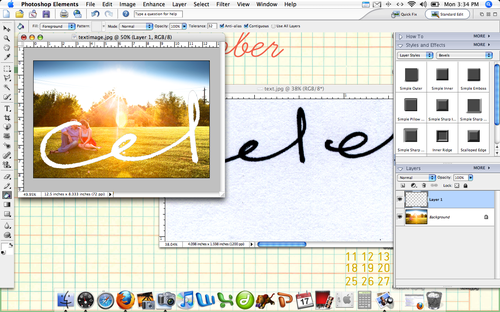
    Picture 7 Select the paint bucket tool from the left sidebar. At the bottom of the left toolbar, you can click the square and change the "paint" color. I chose white, you can use whichever you prefer. Once your color is selected, hover the paint bucket over the text and click. Your text will change color.

    Picture 8
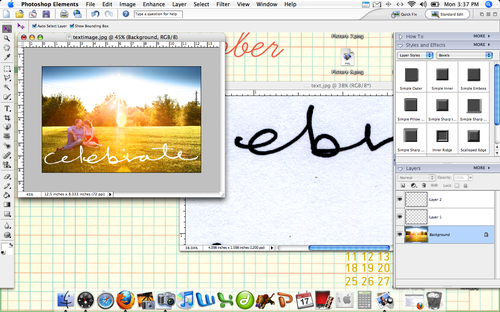
    To adjust the size of the text, select the arrow key and click on the text. Drag from the corner of the box that appears around the text to re-size. If you hold down the shift key while dragging, the proportions of your text will remain the same. At the top of the screen you can see the percentage change in the size of your text. (In the image, mine has been re-sized to 30.2%.) Pay attention to this size. We will use it to make the second part of the word the same size as the first.
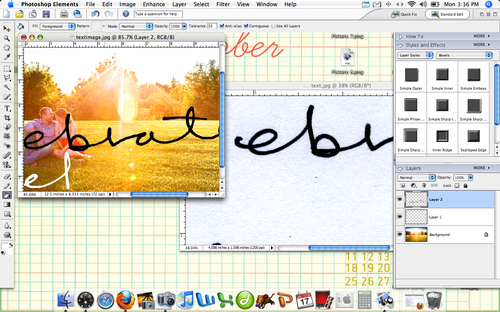
    Picture 11
    Repeat the first few steps to get the rest of your word on to the photo. Use the arrow key to select the text and change it's size to match the first part.
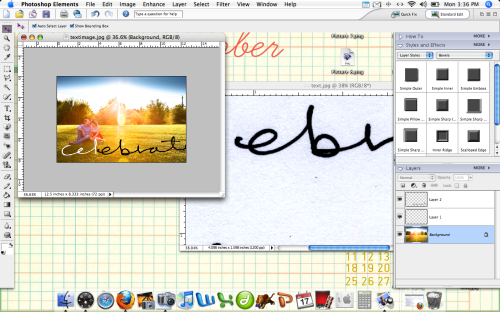
    Picture 9
    Drag the remaining text to the correct spot. To re-size both parts of the word (or as many parts as your word would be) you can select them both by holding down the Apple (CMD) key (or CONTROL on PCs I think) and using your mouse to click both Layer 1 and Layer 2 from the right tool box. I missed the screen shot for this one, but your selected layers will appear with a box around both of them at the same time.
    Picture 12
    Use the paint bucket tool to change the remaining text to white. Please note that if your hold word is one un-interrupted line, you will not have to do these last few steps and will be able to select everything at once.
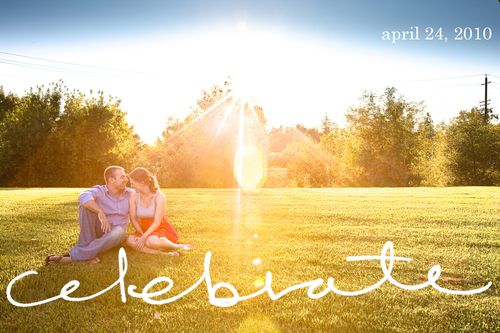
    Complete
    From here, you can add more text or just call it done. You could print your completed photo or upload it to a blog or website.

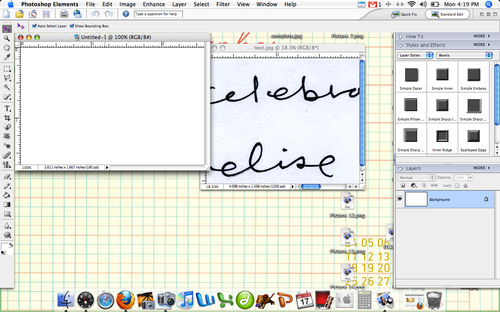
    The same steps can be used to add text to a blank document in PSE as well:
    Picture 15
    Open a new document and your scanned text.

    Picture 18
    Use the paint brush tool to change the background color of your new document and zoom into the text you plan to select with the magic wand tool. Click on the text with the magic wand.

    Picture 19
    Drag the dotted text over to the new document.
    Picture 21
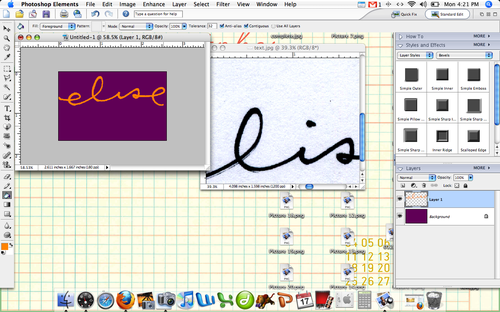
    Resize your text so it fits your new document and change the color. To write my name, I had to go back and grab the dot of the "i".

    Textelise
    Text on a blank background could be used to make business cards or invites.

    I hope this is helpful. Again, I know there are probably better ways to accomplish the same effect but this works, I promise. Please let me know if you have questions and I will answer in the comments.

    Thanks for reading! Go make stuff.
  • Back
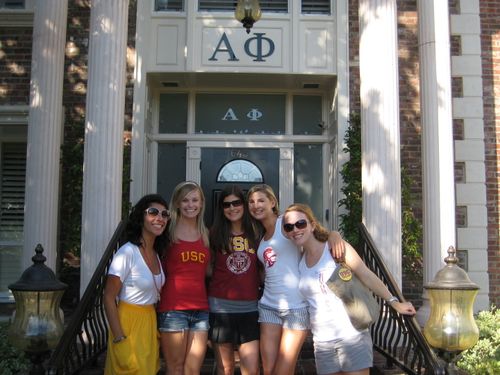
    Oh, what a busy ten days. I saw how USC's campus has changed, how Alpha Phi has remodeled, how my college friends live (& play). I saw where Paul is living. I learned what life "on base" is like. I visited an old friend from high school who is now living in San Diego. I got a literal taste of my possible new city. I visited Berkeley. Saw all of Paul's friends & watched USC win a big game. Busy, busy and it is nice to be back and get resettled.

    I am spending another two weeks in Sacramento with my parents and will then head back to Maryland for the rest of October. Paul will join me at home on Halloween and then we'll spend six weeks together with a normal routine at our normal house. I hate to wish away an entire month, but I am so looking forward to November.

    Today it feels like fall. Sweater & hot coffee weather. I have big plans for the blog this week, so keep an eye out for:

    • a "how to get your handwriting on photos using photoshop elements" tutorial
    • a Wedding Wednesday post
    • a post about paper

    Fallsale
    I have also decided to run a big FALL SALE in my etsy shop. Reduced prices will be posted tomorrow at 1pm PST (4pm EST). Look for lowered prices on prints, postcards, kits and mixed paper books. I will also still be shipping FREE folded map books with all orders over $20. It's time to clear out the shop and start making room for new ideas and new adventures. Is there anything you would like to see in the shop?

    Have a great week. It's Monday. It's October. It's feeling like fall.

    PS : fonts used in "fall sale" graphic are howdown, honey script & garamond.

  • IMG_3090 IMG_3101 IMG_3100 IMG_3097

    And a some fun links for the weekend :

  • IMG_3055
    IMG_3056
    IMG_3058
    IMG_3057
    IMG_3061
    IMG_3081IMG_3078
    IMG_3071
    IMG_3073
    IMG_3084

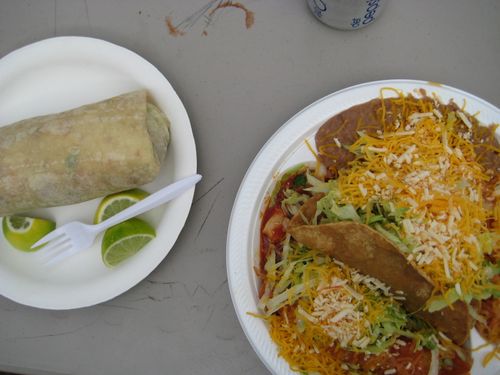
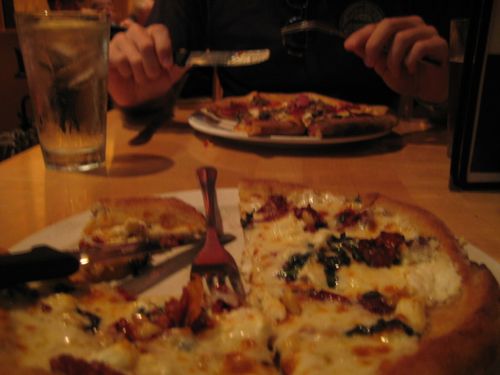
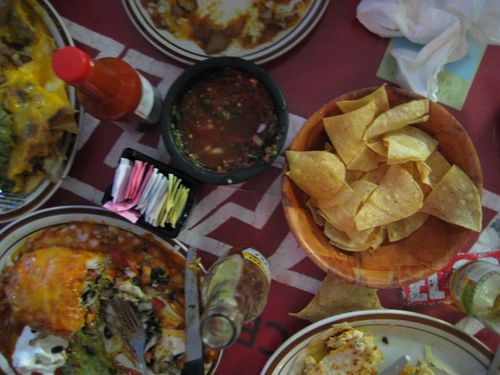
    *alternately titled : we like to eat.

  • Wedwed

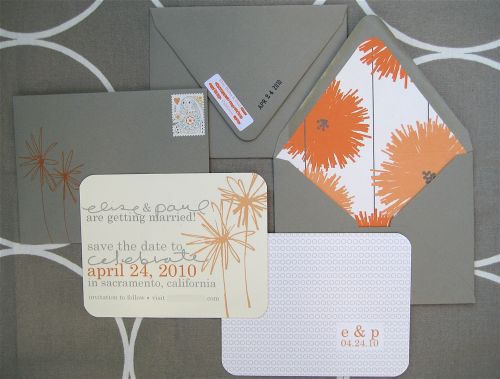
    In life, I am a big believer in handmade and little details. It makes sense that in my wedding I would be even more obsessed. These save the dates took many steps and a few mis-steps but they finally came together just as I wanted. Hopefully they have all arrived at their destinations by now…

    Save
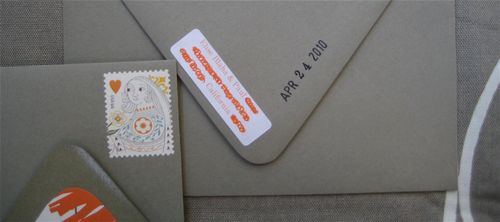
    The above image shows three envelopes and two save the dates. In the actual mailing there was only one of each but I wanted to share all sides at the same time. The gravel envelopes are from Paper Source. The small return labels are by Avery & the envelope liner is Snow & Graham. To line the envelopes, I used an envelope liner template and traced and cut. Paul would have been good at this part. He can help out when it comes time for the invites.

    Save2
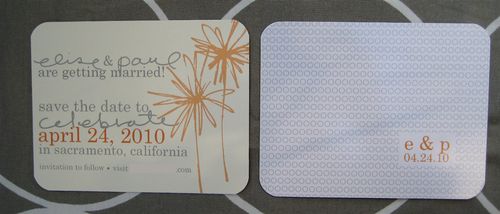
    I have spent the last two years selling lovely but conventional save the dates and wedding invitations and the truth is, after awhile, they all get boring. I wanted something different than the common "Copperplate small caps and Bickham Script" and decided on one simple font (Century) and my handwriting for key words : elise, paul and celebrate. I drew my words with a black pen on white paper, scanned them in and manipulated them in Photoshop Elements so they became images. The orange flowers were drawn by hand and then scanned in as well. Our save the date is double sided. One side I printed on cream Arturo paper on my home computer and the other I designed in Elements and then had printed in glossy finish by Vista Print. I mounted both pieces together back to back with a tape runner and then rounded the corners. They turned out nice and thick.

    Save3
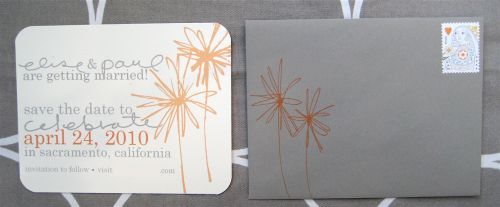
    The front of the envelope looked pretty naked in just gray so I drew the orange flowers on the front with an orange gelly roll. I am sure there is a fun stamp that would have served the same purpose, but it was important to me that the flowers "matched" on the outside and inside. The whole flower idea came about because I just loved that orange and gray Snow & Graham paper. They are perfectly IMPERFECT. I went through lots of bad ideas for how to address them but eventually just went with handwritten addresses in a black pen. Of course the king and queen stamps made an appearance.

    Save4
    The back flap of the envelopes got a return address sticker that I printed at home with my parents address and our names. I realized sort of late that our last names are no where on the save the date but when you think about it, if you don't know who we are it's probably better you not come. At the last minute I stamped the date of our wedding on the back as well with a date stamp and black ink. It's probably my favorite detail.

    So TA-DA! Our save the dates. The photos are a bit dull but in real life, the colors are fun. Next, I have to figure out how to pull off the invites.

    A word or two on save the dates if YOU are planning a wedding… they are not completely necessary unless you have folks coming from out of town. And even then, an email or phone call can suffice. If you are mailing them out, however, shoot for about 8-6 months ahead. Always put the date and city location but don't worry about ceremony/reception time and venue. Include the words "invitation to follow" and your wedding web address if you have one. Obviously everyone who gets a save the date will get an invitation but not everyone who gets an invite needs a save the date. My venue has a hard occupancy rule and to be sure I don't go over that, I was very conservative with the number of save the dates that went out. It's much easier to invite more than it is to de-invite.

  • IMG_2972

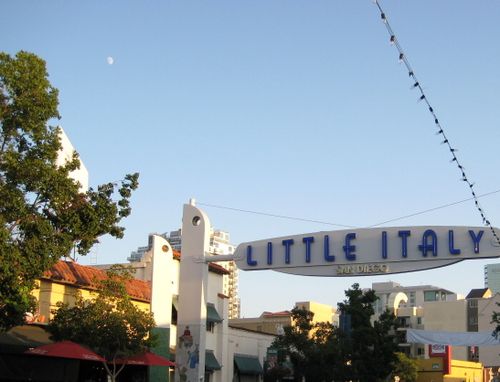
    I am in San Diego staying with Paul for the week. He's learning, I'm visiting.

    IMG_2971
    IMG_2976
    IMG_2975
    IMG_2977
    IMG_2978
    IMG_2979
    IMG_2980
    IMG_2981

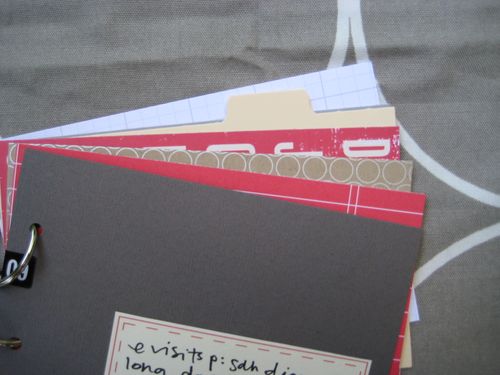
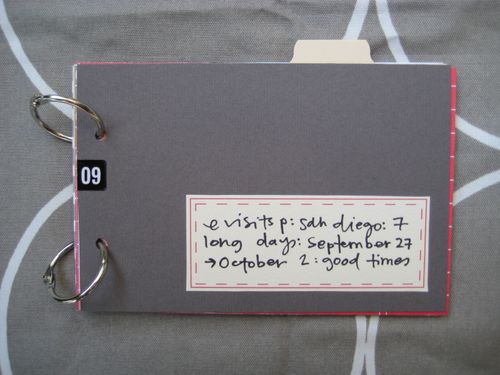
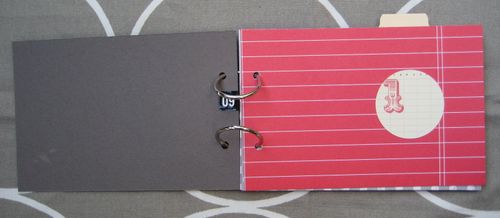
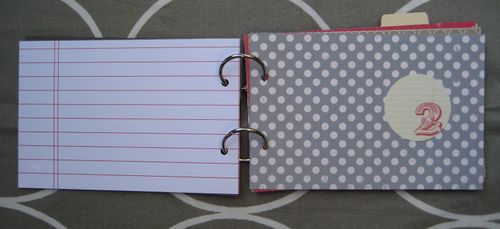
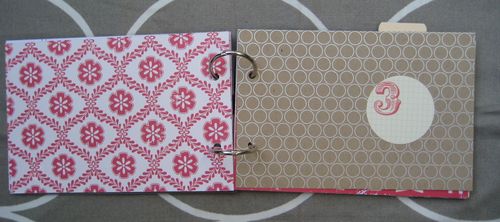
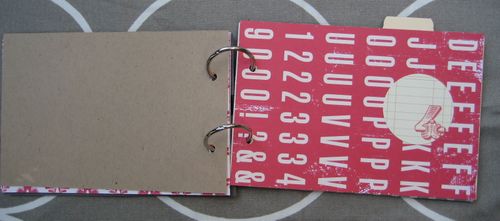
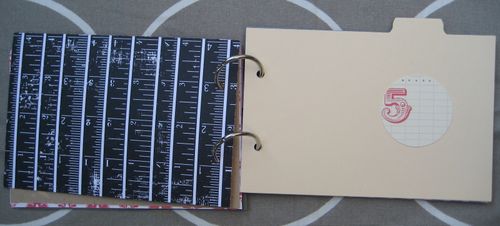
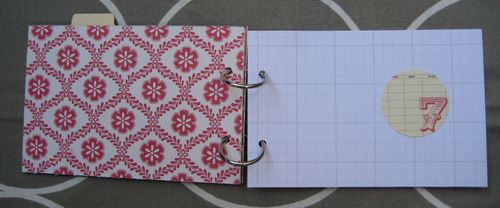
    I picked out a few red, white & gray papers for the base of the book and added circle number tags from banana fish studio to serve as the dividers between the days. The book is 4×6 and if all goes as planned it will get nice and full throughout the week.

  • IMG_2992
    IMG_2990
    IMG_2996
    IMG_3001
    IMG_3015
    IMG_3033
    IMG_3034
    IMG_3036
    IMG_3043

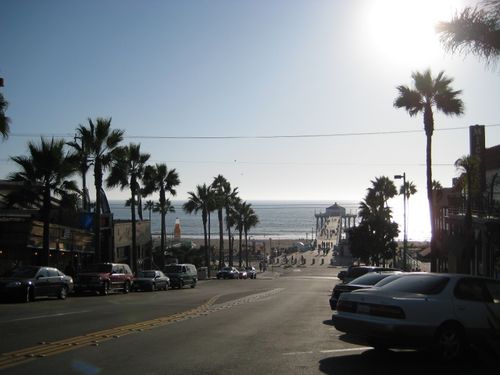
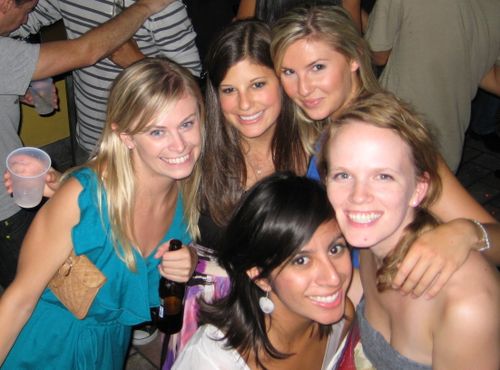
    Whew. I spent most of the weekend in LA visiting some of my best friends from college. I have not been back since the day after graduation in May 2007. It's changed. I've changed. My girls have changed. And at the same time, everything is the same. It's like we were all there just yesterday and also like it never ever happened.

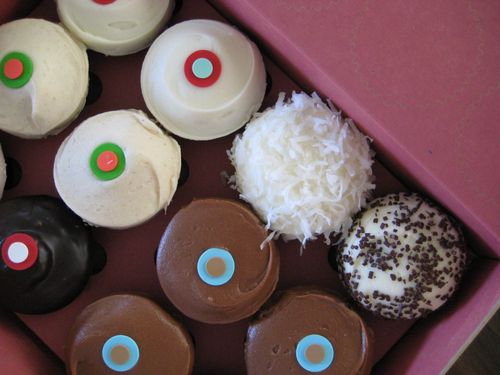
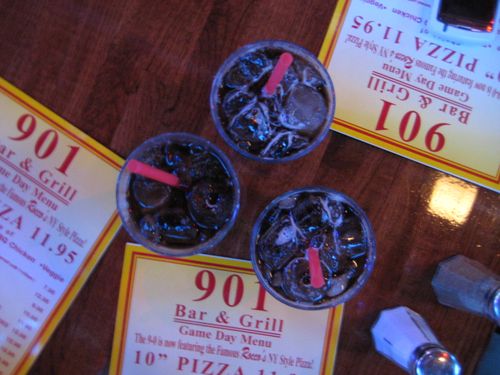
    Good times LA. Thanks for sprinkles cupcakes, dance parties I, II, and III, Miley, Taylor and the gang, Sudafed, happy hour, the new 901 club, the old double jack and diets, karaoke cab, big t-shirts, cut t-shirts, buy-one-get-one pins, Traveler, an at home win, high-tech wine bars, "cheap and not-expensive", & an always open door.

    Miss you already.