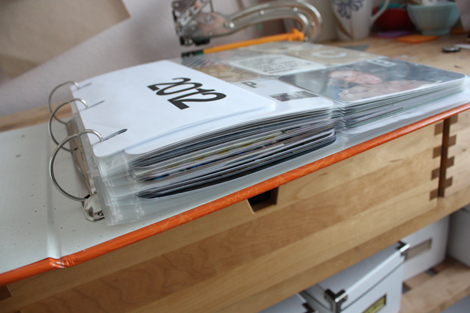
I am three months into this new documentation format.
And I am hooked. Completely sold. It reminds me a lot of when I first started blogging. The rush of starting with a blank slate and making something out of photos and words is the exact same. I used to read (and re-read) all my posts over and over. It's sort of how I found my voice as a writer. Now I look back through my Project Life album and see twelve weeks of photos, paper and text. I go through it over and over. I am re-finding my voice as a scrapbooker.
Like blogging, this documentation tool is going to stick. I can tell.
Also like blogging, it's not necessarily easy to develop new content over and over that excites me. But it's so worth it.
I am thrilled to have the last six years of my life documented through this blog. I have written through college, cross-country moves, changing jobs, starting a business, falling in love, getting married & being apart. And I'll write through this next crazy year. I'll write through the little ones. I write while I figure out how to balance. I'll write when I inevitably lose my balance and stress out about it all being too much. I'll write when Paul deploys again. I'll write when things are good and when things are bad. I'll write even if people stop reading and blogs go the way of the dinosaurs. This blog is a part of who I am.
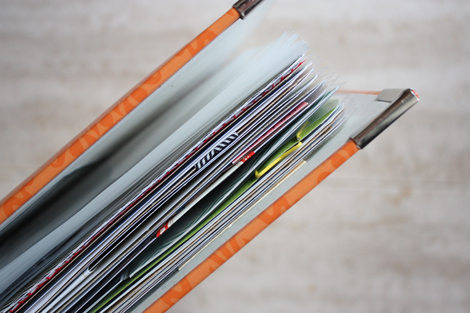
I can already see Project Life becoming just as ingrained in my routine. It's sort of a physical blog that I get to fancy up with paper and embellishments. It's awesome. I don't regret for a second the "memories" that I didn't get captured in this format over the past few years (just like I don't care that I don't have high school or early college years on the blog). For me, this project is about capturing the NOW.
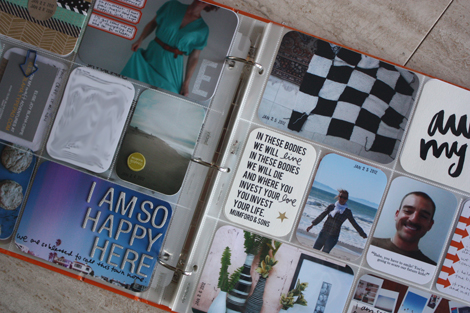
So yes. Three months in and this documentation tool is really working for me. It's the most authentic project I have taken on in years.
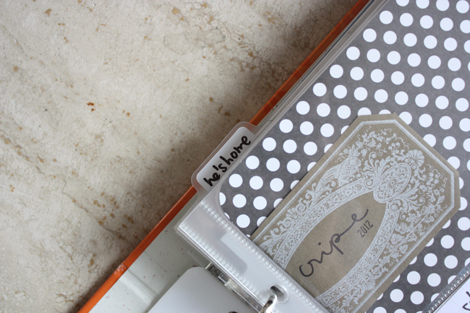
I am excited to keep working on this album and sharing it here once a week.
Today I want to take some time to talk about my Project Life process and answer some of the questions that have been coming up over and over as I have shared each week. If you have a question that I don't cover here, please ask in the comments.
THE PROCESS :
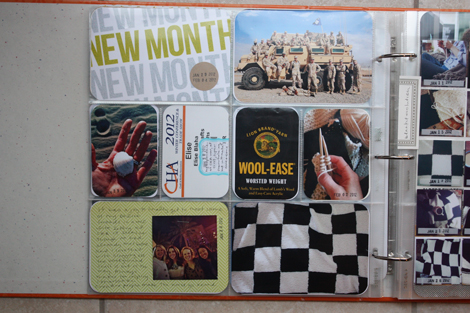
When I am home (not traveling) I work on this album throughout the week. On Sunday, I get the date paper in the top left slot and then almost everyday I print photos and jot down thoughts. I usually have a good idea of what the week ahead holds and I keep that in mind when working on the album.
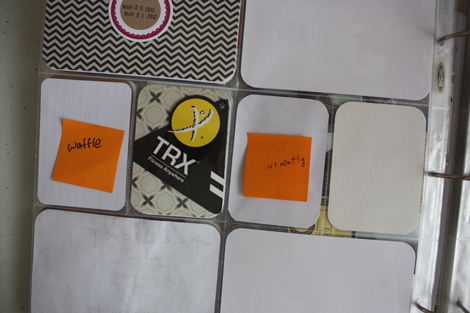
Like a complete nerd, I often use post-it notes to mark what's going to go where. Above is a peek of this week's spread.
For the most part, I work from left to right (so roughly, Sunday-Wednesday photos and stories go on the left page and Thursday-Saturday go on the right).
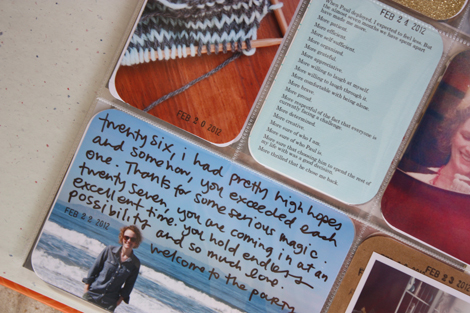
I am not picky about what photos get 4×6 slots and what get 3×4* – it just sort of depends on what photos I have to work with. If I LOVE a photo, it's probably going to get a 4×6 slot. If it was taken on my iPhone and the orientation is vertical, it's probably going to get a 3×4 slot. What I love about this project is that it's totally flexible. You can play around with the slots over and over again and make changes as the week goes on. You can also go back months later and add an extra detail, photo or story. That's rad.
*Please note – I use "3×4" throughout this post. Technically, everything in those pockets is cropped to 2 7/8×4 so it fits. It's just easier to call it 3×4 than type that out each time.
THE QUOTES :
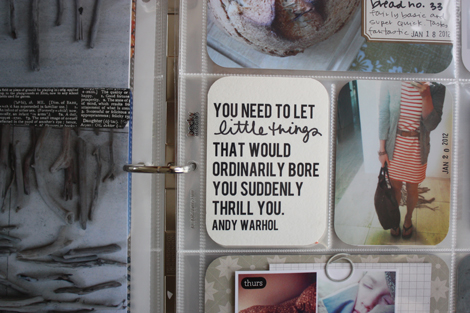
I get more questions about these quote cards than anything else.
Here's the deal… I create a 3×4 canvas in PSE and then use the text tool to type out the quote. I am using Bebas font on every card so they all look the same. After I've typed the quote, I read it again to see which word should be accented and then delete that one, leaving space for it to be handwritten in. Then I just print on white cardstock and cut down to size. The accent word(s) are written in by me using an black pen.
The quotes come from all over. Some I hear, some I see on twitter or pinterest. Some I pull from books or magazine articles.
THE PHOTOS :
I have a Canon XSi that I use for all of my normal shots. I shoot 85% of the time with the kit lens (the lens that came with the camera). I also take a ton of photos with my phone because I always have it with me and it's so much less conspicuous. I'd say this album is about 60% camera photos, 40% phone.
I do very little post processing for my photos. Most are straight out of camera. This is mostly because I have no idea what I am doing with photo editing, but also because I like the look of normally lit shots.
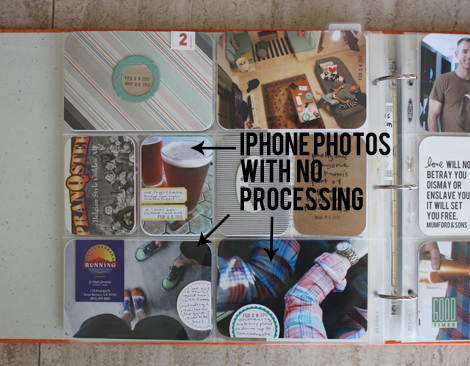
When I do use iPhone photos, I use them in three ways. First, I print them exactly as they were taken. On the spread above you can see three photos right from my phone that were just cropped to the appropriate size (3×4 or 4×6).
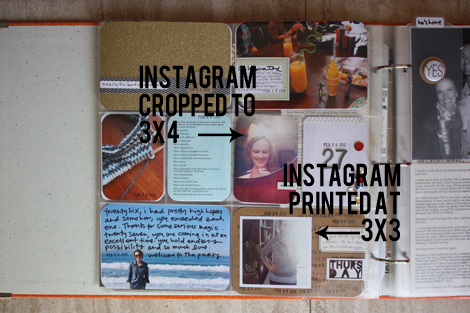
I also use my Instagram photos in the album. Above are two examples. In one, I kept the square ratio of the Instagram photo and left a white border when I cropped it down to fit on the 4×6 paper. And in the other, I cropped it in PSE to 3×4 before printing. I use Instagram when the original photo on my phone wasn't that great – dark, grainy, etc – and the instagram filters made the photo more interesting.
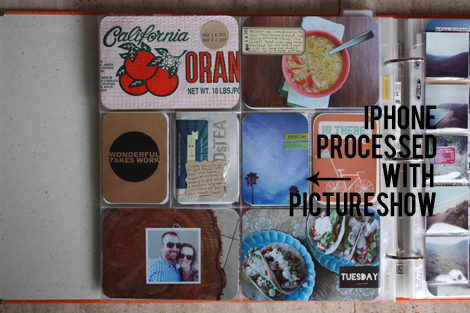
And last, I process a few of my iPhone photos using the PictureShow app. This app keeps the same photo ratio – 3×4 – but adds fun filters to make the shots a bit more interesting. Sometimes if an iPhone photo is fine, but needs more "pop", I'll apply a PictureShow filter before emailing it to myself and printing for the album. (The three other photos on the page above were taken with my normal camera.)
THE PRINTING :
I print all my photos at home. I do this because it's convenient and I can play around with custom sizes and when I mess up something, I can just reprint. I have an HP Photosmart 2575 printer that Paul had when we moved in together. I love it. The reviews online are terrible, but I have never had any problems with it and love the photo quality. It's expensive partly because it's so old I think. I always get asked if it goes through ink fast – I don't have anything to compare it to, but I don't have any complaints.
I print exclusively on Office Depot brand semi-gloss paper. It's expensive, but AWESOME and I usually stock up when it's on sale or I have a coupon. I much prefer matte photos over glossy and this paper is perfect. I do think that printing at home is more expensive than printing in a store or online. But to me, it's worth the ease and I appreciate the time I save not going into a store or waiting for a photo order.
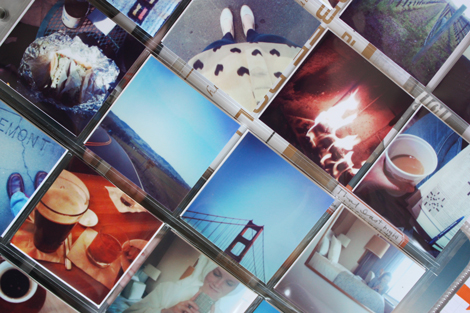
As mentioned above, I am including Instagram photos in this book. I talked a bit about the larger sizes, but when I want them small (like to fit in a coin protector page) I print them using the contact sheet printing option in iPhoto. (You can see the video of my process in this post.) I adore having them together in this grid format because I think they make a much better statement than one alone.
THE INSERTS :
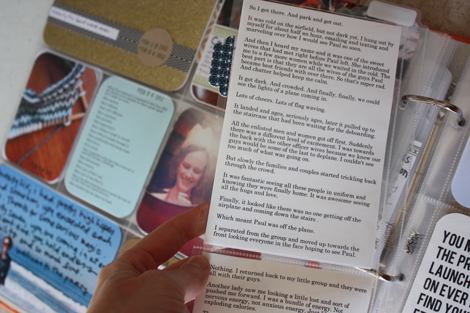
When something big happens or I have a lot of text and/or photos to include, I usually add an insert to the two page weekly spread.
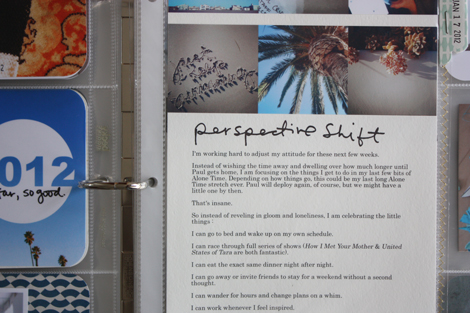
Usually the text that gets included on inserts comes directly from posts on this blog. I do enough writing here that I don't need to write MORE for the album. In addition to a big pack of Project Life Design A protectors and a variety pack, I went a little bit nuts on amazon and purchased all different sizes of page protectors to add inserts. I have the following sizes :
- We R Memory Keepers 3×3 square
- 20 square coin pocket protectors
- 9 pocket baseball card protectors
- 6 pocket page protectors
I like having different options for adding more photos and text each week. I included my "day in the life" documentation right into this album as an insert and plan on doing Week in the Life the same way this year with a baseball card protector for each day.
THE PAPER :
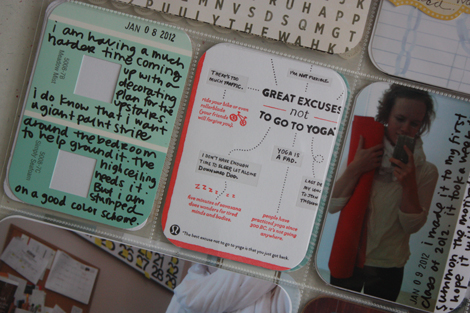
One of my favorite parts about this project is that I now have a home for all the random pieces of paper (mail, business cards, etc) I collect. I also love that it's made me excited about scrapbook supplies again. Blog sponsors Scrapbook Circle, Elle's Studio & Freckled Fawn have generously sent paper products that mesh well with my style and I often work into my spreads.
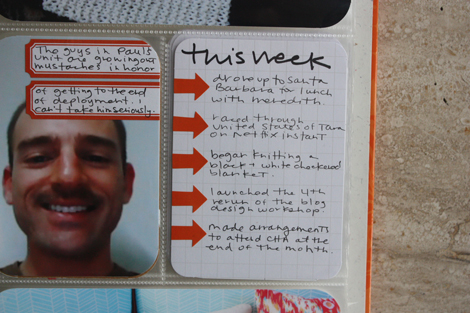
I also use a lot of labels from Paper Source, Martha Stewart & Avery for Staples and embellishments from Ormolu. I have the Clementine Project Life core kit and have gotten a lot of use out of the grid 3×4 cards, a few of the patterned 3×4 journaling cards, orange arrow stickers and folded journaling cards.
THE TOOLS :
I am a big fan of the basics. Black pens, black ink. White or kraft paper. That's it. Below are the tools that I use every week to create spreads in this album :
- pens / American Crafts Slickwriter, Zig Millennium 0.1, Zig Millennium 0.5 and Recollections glossy marker.
- corner rounder / Fiskars
- paper trimmer / Rotatrim 15-Inch Professional Cutter for at home & American Crafts CUTUP trimmer when I am on the go.
- stamping ink / exclusively black StazOn
- adhesive / American Crafts this to that and Tombow Permanent roller adhesive.
PHOTOGRAPHING THIS ALBUM :
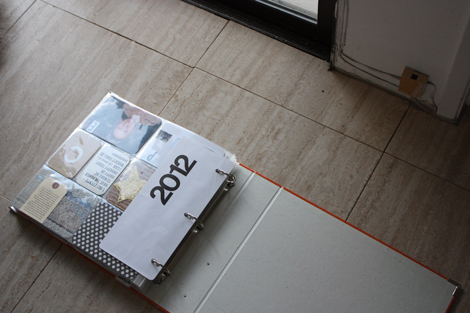
For blog updates, I take pictures off the album on the ground near a window. I avoid direct sunlight, but make sure there is enough natural light to get the colors to come through correctly. I shoot directly above and don't have too much trouble getting decent images.
THE FUTURE :
I got a question about if I plan on using this format to document older photos or my history with Paul. The answer is no. I am not a big "go back and document" person. It doesn't interest or excite me and so I let it go. HOWEVER, I absolutely plan on using the Project Life format as a baby album. Whenever Paul and I are blessed with a little one, I am going to use the weekly spread format to keep track of the kid's life in addition to our main family album. So that will be two albums that are updated weekly. Yes, this might make me crazy. But also, yes, I am super excited.


 enJOY it
Leave a reply to Jana Cancel reply