enJOY it

an archived personal and craft blog from Elise Blaha Cripe.

PLWK10

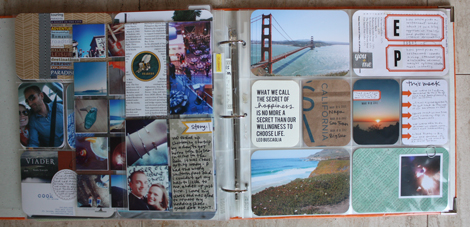
Yada, yada, yada, week 10 and I still love this project.
Plwk10full

Plwk10full3

Plwk10full2

(click to enlarge & the images above will be [somewhat] clearer)

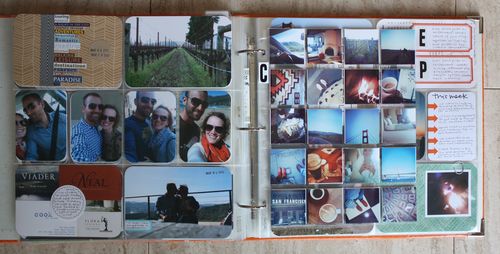
It was a big week because we were vacationing which meant my camera was burning a hole in my pocket at all times. I took probably 600-700 photos between my iPhone and my camera. (The phone photos are about 100x more relevant and exciting.)
Plwk10detail5

So obviously this week is super photo heavy.

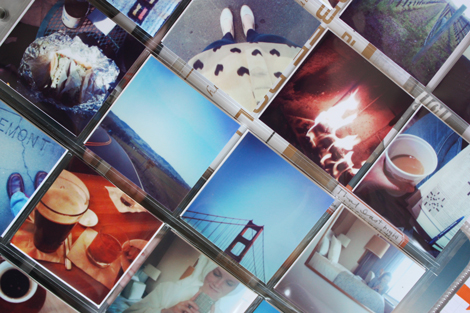
I wanted to work a lot of those instagram/camera photos into the book through a grid page protector, but I didn't want to worry about cropping and arranging them before printing. I used a trick that I have used many times before and uploaded them all into iPhoto. Then I selected 40 at once and printed them at home as a contact sheet.
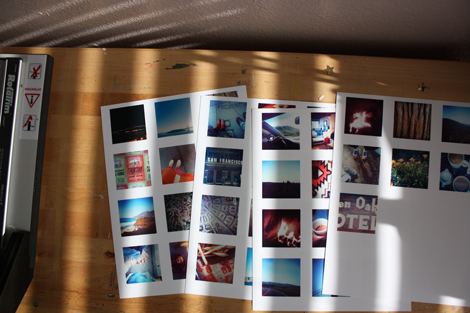
Plwk10instagrams

Out of the printer, they looked like this. I've embedded a video from last summer that walks you through the process of printing a contact sheet in iPhoto. I am not sure how you can accomplish the same thing without iPhoto or on a PC but I am sure there is a way.

printing a contact sheet with iphoto. from elise blaha on Vimeo.

Please check out the video if you have questions about this printing method. I printed my instagram photos so they were three across which meant they just needed a tiny bit of cropping to fit into the square pocket page protector I picked up from Amazon.
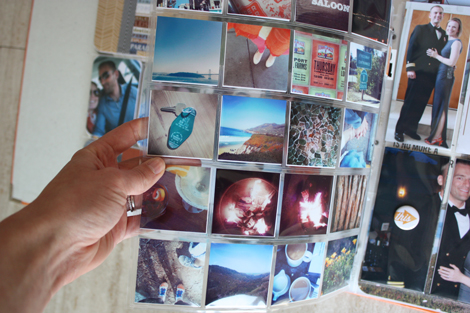
Plwk10slideinsert

I love how they look in grid form. And with both sides of the pocket page full, it's a pretty great collage of the trip.
Plwk10insertball
Plwk10ballinsert

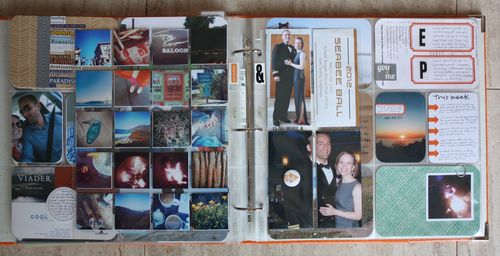
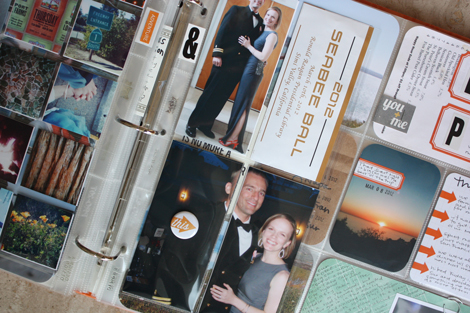
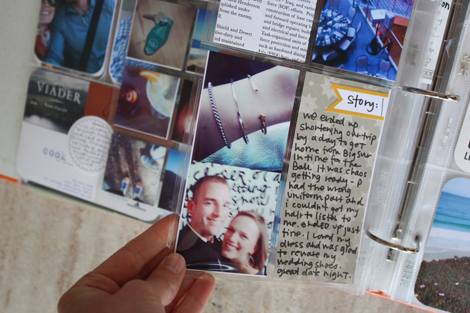
Added a second insert this week to hold photos and text about the Seabee Ball. A few weeks ago I purchased a ton of 8.5×11 page protectors to add different inserts into this album. This one looks looks like this and when it's full sized has six 5.5×2.5 pockets. I trimmed mine down so it had space for just four photos and papers on the back and front. I am enjoying playing with the different pocket sizes.
Plwk10left

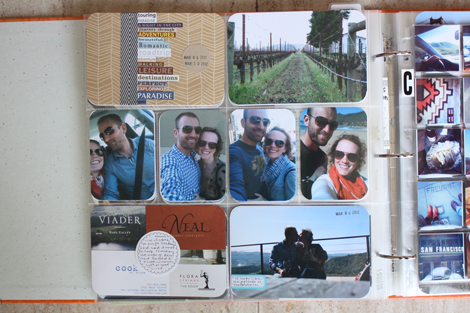
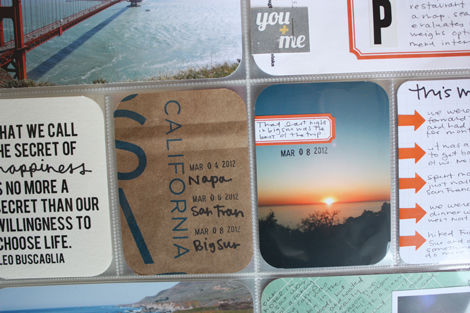
On the left page, I liked the repetion of the e&p photos. Those were all taken on my phone (and not processed through an app) and there is one from each place – the start of the roadtrip in the car, then Napa, SF and finally Big Sur.
Plwk10detail4

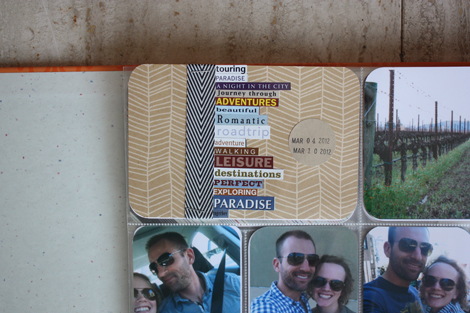
I've had those Making Memories travel word stickers forever and I'm glad I could use some of them this week. The herringbone patterned paper is American Crafts and the ribbon is Paper Source.
Plwk10detail3

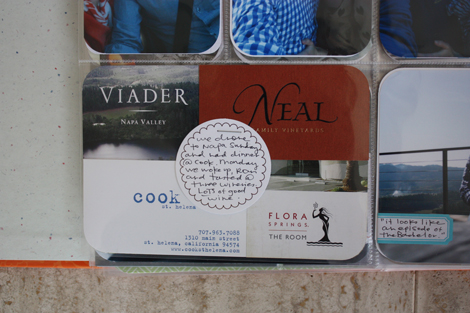
I collected a ton of business cards while on the trip. Not all made it into the book but a small collage of the wineries and the resturant we ate at in Napa fit well into a 4×6 pocket. I layered an Elle's Studio circle tag on top with text.
Plwk10right

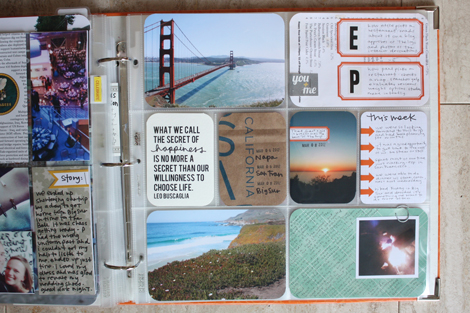
Usual suspects on the right page with the quote and arrow journaling.
Plwk10detail

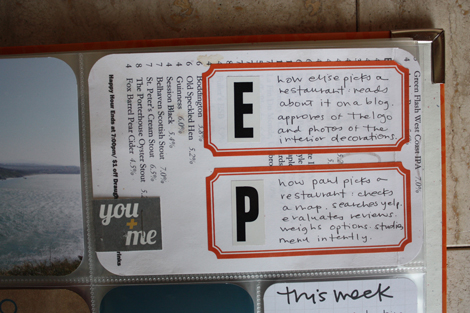
While we were in San Francisco, I realized how different Paul and I are when it comes to choosing a restuarant. I used E & P stickers from Office Depot and Martha Stewart labels to talk about the difference. I stuck them to a drink menu I grabbed from one of the bars we went to.
Plwk10detail2

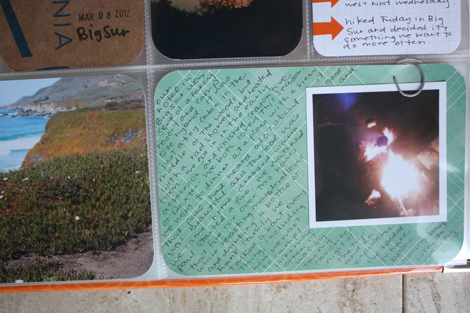
Handwrote some text about Big Sur onto American Crafts patterned paper and clipped an extra photo into the pocket as well.
Plwk10lastshot

Originally, I thought I would do a minibook in addition to the weekly update to document the trip. But after putting the spread together, I don't think I'll do something separate. My time can be better spent elsewhere – like decorating our place, working on the 27 materials project and another giant work project I have on my plate.

This isn't to say I am done with minibooks for the rest of time, but I can tell that my focus has shifted. If this Project Life album (and what gets written here on the blog) is the only way I document 2012 – it will still be much more than I have done the past few years and I'll still be thrilled.

supplies / Paper Source circle label & ribbon, Martha Stewart and Avery labels, Making Memories word-fetti stickers, American Crafts patterned papers, Ormolu "you and me" tag and "this" button, Elle's Studio circle tag and flag tag, Design A page protectors (which are available in this variety pack), Clementine core kit, six pocket page protector, square pocket page protector, Bebas quote font. I use a Fiskars corner rounder (it's not amazing, but it's lasted the longest of any corner rounder I've ever had). I am using a Zig Millennium 0.1 pen and Recollections glossy marker throughout this album.

Confused by Project Life? Start here. See all my Project Life posts here.

Posted in ,

22 responses to “project life : week 10.”

  1. Samantha Avatar

    I’m a mac and iphoto user, but wanted to let PC users know that Picasa is awesome for printing instagram contact sheets or collages. Picasa is free (I even use it on my mac sometimes to work with my instagram photos). Import your instagram photo files into Picasa, select the ones you want, then hit Collage. In Collage you have different choices and you can choose how to scale the size of your grids. There’s lots of good tutorials online, just google picasa collage tutorial. It also gives you lots of different print sizes to choose from.
    Elise: your Project Life continues to amaze me. You are so creative!

    Like

  2. elise blaha Avatar

    awesome! thanks so much for sharing that tip!

    Like

  3. Lindsay Overbey Avatar

    Thanks so much for posting this. I’ve been wondering a good way to print my own!
    ♥ Linz

    Like

  4. suzanne Avatar

    I really appreciate the tutorial! And thanks Samantha for posting resources for PC users 😉
    Elise is there a place to buy a Project Life package?

    Like

  5. Design Editor Avatar

    Awesome week, Elise! Love how your date card turned out and great iPhoto tip. Thanks!

    Like

  6. MandyF Avatar

    Again, your week is awesome! Thanks for the coin storage tip, I ordered some right away 🙂

    Like

  7. Lindsey MacDonald Avatar

    This post is my favorite PL one to date, but I’m sure you’ll rock somethin’ else next week! Diggn’ the date stamp right on the photo, of course your quote cards, the page protector links, and my fave the return of e+p. Thanks Elise!!

    Like

  8. Maria Avatar
    Maria

    Amazing, like always. Not only the craft, but the rythm at which you’re working right now is awesome.
    I love this AC herringbone paper… Do you remember its name by any chance?

    Like

  9. elise blaha Avatar

    it is called hello sunshine. 🙂

    Like

  10. Kate Ware Avatar

    All project life materials are sold through Amazon. HTH!

    Like

  11. nic Avatar
    nic

    Im a PC girl and use Picasa as well. If you print a contact sheet using Picasa, I think it prints 1″ photos. For 2″ photos, change one of your printing options (under tools/options/printing) to passport and choose that in the print window, though you don’t get the option to edit pics after you’re in the print window. it’s my favorite option.

    Like

  12. Pink Ronnie Avatar

    This is awesome!!! I can’t wait to get square protectors. Actually, I haven’t even received my core kit yet so probably getting a bit ahead of myself. But can’t wait to have a collage like that for keeps! (Love the bit on how each of you chooses a restaurant…)
    Ronnie xo

    Like

  13. Laura Avatar

    Project Life is awesome but I hope you’re not done with mini books… I’m hoping for a summer one again! 🙂

    Like

  14. Erica Avatar

    One of my fave PL pages you’ve done! Though I have to admit I’m a little disappointed their wont be a roadtrip minibook, I love your minibooks! 🙂

    Like

  15. Libbi M. Avatar
    Libbi M.

    you are doing an amazing job. i love the idea of the slide protector sheets that i went to my local camera store and picked some up. project life is very addicting huh?

    Like

  16. elise blaha Avatar

    I am not planning on making my own summer minibook, but I am planning on selling them if people are interested. 🙂

    Like

  17. elise blaha Avatar

    thanks! 🙂 if my heart is not in it, the minibook would not be that great, I am afraid. 🙂

    Like

  18. Skye Avatar

    I love the mini photos in the pocket protectors, plus the way you used business cards and the drink menu!

    Like

  19. Chrystina Avatar

    I love the fact that you wrote a memory on the business card. I’m going to have to remember this…

    Like

  20. Amanda S. Avatar

    Awesome! I love the way you compared your styles of picking restaurants… what a clever idea!! 🙂

    Like

  21. Natanya Avatar

    Elise, it suddenly occurred to me that most of your Instagram photos look to be in the same filter. Is that true? do you keep all your photos in the same family so they’ll go better together in Project Life layouts? Curious about what filters you stick to…

    Like

  22. elise blaha Avatar

    I use amaro and valencia almost exclusively because to me, those look the best.

    Like

Leave a reply to Kate Ware Cancel reply