enJOY it

an archived personal and craft blog from Elise Blaha Cripe.

Whyidontcareaboutphotostorage

I get questions often about how I organize my digital photos. I always respond that I really don't.
Photostorage

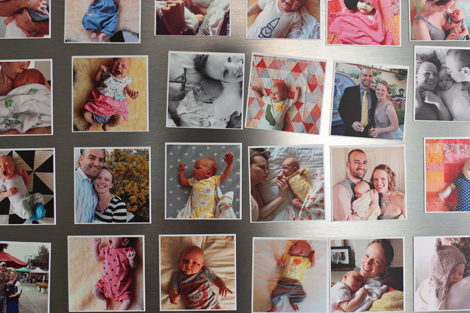
This is what I do: I plug in my phone or my camera into my laptop. iPhoto pops up. I transfer all the photos there. I name the event something classy and super specific like like "mid-July random." I flag the photos that I need to use for a blog post. Ideally, every few months I back up to an external harddrive.

THAT IS IT.

It's saved. But totally disorganized. Totally cluttered with junk images. And I could not care less.
IMG_8746

I thought a lot about this. Why do I not care about keeping my digital files "clean and organized"? I have my business books kept down to every last penny. I am frantic about getting my blog archives set. My email inbox is empty more often than not. Perhaps most insane, I organized Ellerie's books by color!

But my digital photos? Eh. Ain't nobody got time for that.
Usephotos2

This is what I have realized: I take photos to share them. Share them currently, with family, friends and blogland. And share them in the future with myself, Paul and Ellerie.

Photos, to me, are a form of communication. "Look how rad this sunset looks!" "Remember how happy we were here?" "Check out what Ellerie learned to do today!" "OMG, look at this mini tomato I am absurdly proud of!" "Do you see how I executed step one?" "I am selling this item for $18."
Usephotos3

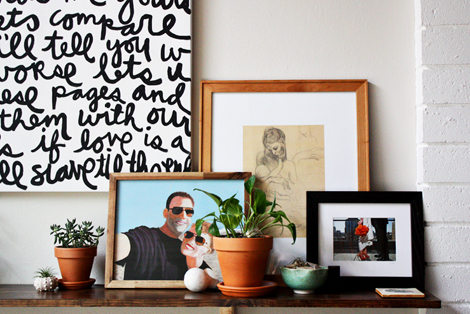
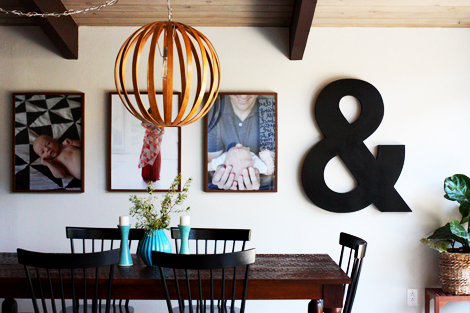
So the point of them is to use them. Share them online or via text. Show them to Paul when he gets home from work. Scroll through them myself in my only digital album that matters (iPhone). Print them and display them in our home. Get them into books and albums. Resize them for my blog or website. Those are my goals. The digital archives are just sort of a by-product of the actual purpose.

Because really… Tens of thousands of digital photos? I am so bored just thinking about those and I took all of them. Who is going to go through all of those? Hopefully no one! My parents have 4 big albums of 4×6 photos from our childhood (about 1200 photos) and I feel like they tell an awesome story.
6a00d8341c71c353ef017c375d349f970b-500wi

I would so much rather spend my time making the memories and doing something with my images instead of archiving and cataloging them.

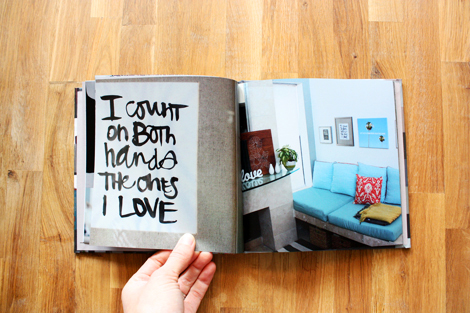
This was hugely freeing for me to realize. It encourages me to work on getting my memories off the computer and into real life. I hang love letters and photos my family in every room. I am in the process of covering our fridge in instagram magnets. I print books of the places we have lived and the things I love doing.

IMG_6309

I don't organize my photos and it's okay.

Posted in , ,

69 responses to “my digital photo storage is a mess.”

  1. Jessi Avatar

    I’m the same over here! My files are actually named “TO FILE 1” “TO FILE 2” etc. As if I’ll ever get around to filing them by date. Hah. I have a hard enough time getting around to printing them for my albums. Maybe when the kids are grown and moved out I’ll organize them 😉 Glad to know I’m not the only one!

    Like

  2. Kary in Colorado Avatar
    Kary in Colorado

    I totally can see how this would work as a young person with one baby. You can remember everything still! I bet when baby is 5 and needs six photos from her life for a school project or you need that photo you know you took of your mom back when Ellerie was 3 or 4….well, you will realize why older moms organize their photos (and USE them too!).
    The good news is, we can always change our minds. My photos go into iPhoto, all the July ones in one event, all June in one event, all May–etc, etc. Easy peasy. I can always find everything (I do also tag stuff–a lifesaver last month when I needed photos of my Dad for his memorial service. One Smart Album in iPhoto and I had over 200 great photos to choose from). A little time now, big benefits in the future.
    Glad this is working for you now, but it may change in a few years!

    Like

  3. elise blaha cripe Avatar

    yep! I would be sad too, but that’s the point of sharing and printing. They EXIST in other forms. I have records of so many things these days. It’s ENOUGH. I am okay with it. 🙂

    Like

  4. elise blaha cripe Avatar

    yep, that’s what I do.

    Like

  5. elise blaha cripe Avatar

    That’s a great point. You can find them all here http://eliseblaha.typepad.com/golden/letters-to-my-girl/ but I’ll go ahead and get that button back on the sidebar. Thank you for the suggestion!!
    elise

    Like

  6. elise blaha cripe Avatar

    added the button back to the sidebar. 😉

    Like

  7. Kim Avatar

    YES! Thank you, thank you, thank you!

    Like

  8. Renske Avatar
    Renske

    I understand! 🙂 but do you have them outside your home as well?:)

    Like

  9. Johanna Avatar

    Thank you for this post. You helped me to take an action!

    Like

  10. Steph in Canada Avatar
    Steph in Canada

    Awesome! I love that reminder! From someone who seems on your blog, to be so organized, I am pleasantly surprised that is what you do. I feel much the same because I also don’t want to spend time thinking of the stresses and headaches involved with organizing my…..47,000 photos. Mine are in an exceptional state of disarray though. Pre 2011, I was a PC girl, with the year, then month, then event neatly categorized into beautiful grids of organization. Then I went MAC and loved iPhoto until my computer started screaming 2 years later from the enormity of my library, especially considering I had upgraded my dslr and my photos were larger than ever.
    My newest MAC was larger, but I made a mess trying to figure out what to do. One person said to split your iPhoto library, while someone else said don’t split it. I followed advice to switch to Aperture because of its capability to handle larger libraries. So, now my new computer is crying but I am lost at what to do or even how to back it all up! I use time machine, but had a drive failure with some newer stuff and just bought another new MAC drive.
    Where to start?! Ugh… Any chance you could give a quick tutorial since you said you actually use iPhoto, how you do backups on a hard drive every so often? I’d be curious if you do a complete back up or if you just back up the new and how you do that! Thanks!

    Like

  11. cinback Avatar

    This is just what I needed to hear today. Letting go of my nagging ‘get er done’ feeling…

    Like

  12. Kristen P Avatar
    Kristen P

    Reading this makes me feel so much better. My photos are in such a mess in iPhoto it would take me forever to organize all of them along with driving me insane. I’ve pretty much decided it is what it is, and so be it!

    Like

  13. Kristin Avatar
    Kristin

    I love your attitude! I let myself get so totally stressed at times trying to label and edit every picture.

    Like

  14. elise blaha cripe Avatar

    just seeing this now! (TOTALLY admit I was curious to see which of my posts you had liked. :)) I don’t do any thing special. I backup the WHOLE iPhoto and it’s just the worst.
    elise

    Like

  15. heidi Avatar
    heidi

    Where do you print your photos? I’ve done snapfish and Walgreens with terrible results! Can’t figure out why all my printed photos are blurry!

    Like

  16. Michelle Avatar
    Michelle

    You were kidding with the “ain’t nobody got time for that” right?
    Honey Badger don’t give a sh…. I get it 🙂
    There are people out there who have spent tens of thousands of dollars on grad school and spent years of their lives so they can catalog and organize digital photos. Like me — my Job is called digital librarian.

    Like

  17. Michelle Avatar
    Michelle

    Omg this is what happened to me when I tried using iPhoto. It was awful! And then add in the hundreds of scans I made of old family photos going back to 1937 and it got worse!
    In my case the issue was that the metadata embedded into the image file by the darn camera was wrong and iPhoto organizes by metadata. Internat camera created metadata takes precedence over human added data
    I went back to my original plan. Every photo gets its own name when I upload or create it. The name starts with 4 digits that indicate the date of the photo

    Like

  18. Michelle Avatar
    Michelle

    The safe of the actual photo, not date created. A scan of my grandma from June 1962 starts with 6206 for the date, then something descriptive like “Grandma in her garden”.. That way files always sort in numerical order, date order. So if I search for pics of Grandma and I know I want a pic of herthac was taken in the 70s, all Grandma photos come up and they are listed in date order.

    Like

  19. Cayla Avatar

    My photos also need organizing! I have so many already and everything is a mess! I am thinking of starting to use the Cloud.

    Like

Leave a comment